Create More Content with PLR Canva Templates
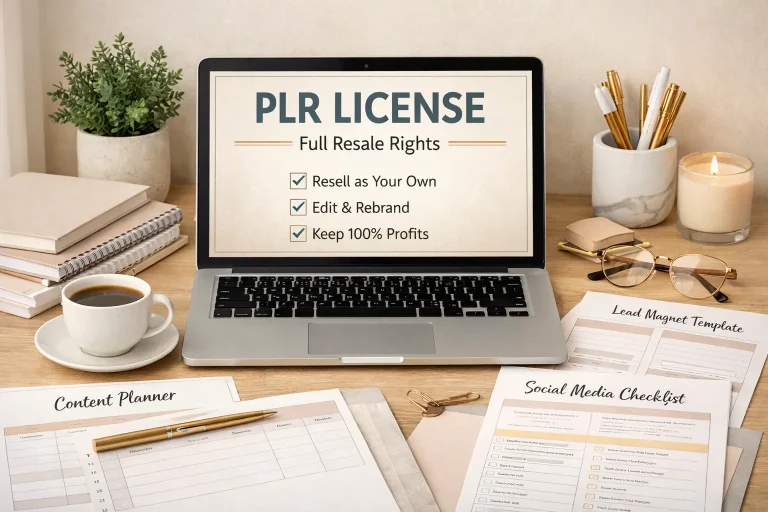
PLR Canva templates give creators a practical starting point for producing polished digital content without designing every page, post, worksheet, or promotional graphic from scratch. PLR means private label rights: a license that may allow you to edit, rebrand, and sell or distribute supplied materials, subject to the specific license terms. Canva is the design platform commonly used to customize these assets. Together, they can shorten production time while preserving room for your own message, colors, images, and business identity.
The important distinction is that PLR templates are not automatically ready for unrestricted resale. Your rights depend on the provider’s agreement. Some licenses permit editing and selling finished products, while others limit resale, prohibit sharing editable links, or require you to use the templates only as part of a larger offer. Reviewing those conditions before publishing protects your business and helps you use the resource responsibly.
For coaches, educators, bloggers, consultants, virtual assistants, and digital product sellers, templates can support many content formats. Examples include social media carousels, lead magnets, checklists, workbooks, presentation slides, planners, client guides, and email graphics. The strongest results come when you treat a template as a framework rather than a finished product. Your expertise, examples, voice, and audience-specific advice are what make the final asset useful.
What You Receive
A PLR Canva template package usually contains an organized collection of editable designs, although the exact contents vary by seller. You may receive a Canva template link, a downloadable document containing access instructions, preview images, suggested uses, and a license document. Some bundles include coordinated covers, interior pages, worksheets, social posts, and sales graphics. Others focus on one format, such as an ebook or carousel set.
Canva templates may use free elements, Pro elements, stock photographs, fonts, or uploaded graphics. This matters because an included design may appear differently if your Canva account does not have access to a paid element. A responsible provider should explain these requirements. Before choosing a bundle, inspect the preview, confirm the format, and determine whether the design suits your intended audience and platform.

The template is often delivered through a link that opens a copy in your Canva account. This protects the original file and lets you customize your own version. Avoid editing the provider’s master design directly when the instructions recommend making a copy. Keeping an untouched original is useful if you want to create several branded variations or return to the source later.
Why Templates Improve Content Creation
Starting with a blank canvas creates many small decisions: page size, hierarchy, spacing, typography, color balance, image placement, and navigation. A well-structured template handles much of that initial work. You can focus your time on researching the topic, clarifying the promise, writing useful content, and checking whether the final design is easy to use.
Templates also support consistency. Repeating a visual system across a workbook, landing-page graphics, and social posts helps an audience recognize your brand. Consistency does not mean every page must look identical. It means related assets share deliberate choices, such as two or three typefaces, a controlled palette, recurring headings, and predictable spacing.
The main benefit is not speed alone. A template can provide a production process. For example, a checklist template may remind you to include an introduction, instructions, action boxes, notes, and a completion section. A carousel template may encourage a clear opening statement, several teaching slides, an example, and a call to action. The structure reduces omissions while leaving you responsible for accuracy and relevance.
Selecting the Right PLR Canva Bundle
Start with the Intended Outcome
Define what you want the buyer, subscriber, client, or follower to do after using your content. If the goal is to collect email subscribers, a concise checklist may be more suitable than a lengthy workbook. If the goal is to teach a process, a workbook with exercises and reflection prompts may create more value. Let the outcome determine the format instead of choosing a bundle only because its preview looks attractive.
Consider where the asset will be used. Instagram, LinkedIn, Pinterest, email, a course portal, and a printable download have different design requirements. A square social graphic cannot simply be stretched into a readable page. Check dimensions, orientation, intended screen size, and whether the template contains enough space for your normal amount of text.
Evaluate Design and Editing Flexibility
Look for clear hierarchy, readable contrast, generous margins, and layouts that can accommodate your writing. Decorative designs may look impressive in a preview but become restrictive when you replace short sample text with useful explanations. Favor flexible pages with interchangeable sections, editable colors, and room for images or diagrams.

Examine how elements are grouped. If every line, icon, and background shape is locked into a complicated arrangement, customization may take longer than expected. Also check whether photographs, illustrations, and fonts can be replaced. Flexibility is particularly important when you have established brand guidelines or serve clients with different identities.
Read the License Before Purchase
The license determines what you may do, not the product description alone. Confirm whether you can edit the templates, add your own content, sell finished PDFs, use them as bonuses, include them in courses, or create client deliverables. Look for restrictions concerning editable Canva links, reselling unchanged files, claiming authorship of the original design, transferring rights, and using included fonts or images outside Canva.
Keep a copy of the license and note any provider-specific conditions. If the wording is ambiguous, ask the seller for clarification before purchase. Do not assume that “commercial use” means you can redistribute the editable source. These are different permissions, and confusing them can create avoidable disputes.
A Reliable Customization Workflow
1. Make a Copy and Plan the Message
Open the supplied link, create your own copy, and save it with a clear project name. Before changing colors, outline the content. Identify the audience, central promise, desired action, and supporting points. A brief content plan prevents the common mistake of decorating pages before deciding what each page must accomplish.
2. Apply Brand Foundations
Replace colors, logos, fonts, and imagery consistently. Use contrast to distinguish headings from body text, but avoid sacrificing readability for visual novelty. If your brand palette is limited, use one primary color, one accent, and neutral shades. Check that text remains legible on mobile devices and printed pages.
3. Rewrite Every Meaningful Section
PLR text, when supplied, should be treated as a draft. Adapt examples, terminology, calls to action, and explanations to your audience. Remove claims you cannot verify. Add your own process, definitions, warnings, and practical examples. Personalization improves usefulness and separates the final product from other versions created from the same source.

4. Replace Generic Visuals
Use images that support the subject rather than filling empty space. Confirm that you have permission to use each photograph, icon, illustration, or logo. If a visual is decorative, ask whether it improves comprehension. A simple diagram, screenshot, or labeled example may communicate more effectively than a fashionable stock image.
5. Check Structure and Accessibility
Review heading order, page flow, alignment, margins, and repeated components. Break dense paragraphs into shorter sections and use lists where they improve scanning. Avoid low-contrast text, overly small type, and color-only instructions. If your audience may print the resource, test it in grayscale and check whether interactive or decorative elements still make sense.
6. Export and Test the Final File
Export according to the destination. A PDF for printing may require different settings from a digital PDF used on screen. Open the exported file on more than one device, test links, inspect page breaks, and confirm that no text has shifted or disappeared. Ask someone unfamiliar with the project to follow the instructions. Their questions often reveal unclear steps.
Practical Uses for Different Businesses
A consultant can adapt a workbook into a paid diagnostic exercise, then use selected pages as a client discussion guide. A fitness educator might turn planning pages into a general habit tracker, provided the content avoids unsupported medical or nutritional claims. A real estate professional could create an educational buyer checklist, adding locally appropriate guidance while avoiding promises about transactions or legal outcomes.
A course creator can use coordinated templates for lesson summaries, reflection sheets, and announcements. A virtual assistant may customize social graphics for a client, but should clarify who owns the finished work and whether the license permits client delivery. A blogger can transform a long article into a downloadable checklist and a sequence of promotional posts, maintaining one clear message across formats.
These examples illustrate a useful principle: the more directly the template reflects a specific problem, the easier it is to explain its value. “A collection of pages” is less persuasive than “a guided planning workbook that helps a new freelancer organize the first week of client onboarding.” Specific outcomes help buyers understand why the resource deserves attention.

Common Mistakes to Avoid
Publishing Without Customization
Unchanged PLR can feel generic, contain outdated references, and resemble materials sold by other users. At minimum, revise the title, examples, language, visuals, and calls to action. More importantly, verify that the advice is correct and complete for your audience.
Ignoring Licensing Details
Saving a file does not expand your rights. Do not upload editable templates to a membership library, give away source links, or sell an unchanged bundle unless the license clearly allows those actions. Keep records of purchase and permission.
Designing for Appearance Alone
A beautiful workbook can still fail if users do not know where to begin or what to do next. Add instructions, progress cues, examples, and space for responses. Every decorative choice should support comprehension, trust, or action.
Overloading Pages
Trying to preserve every supplied paragraph often creates crowded layouts. Edit decisively. Move optional detail into a note, split one page into two, or remove material that does not support the stated outcome. White space is functional; it gives readers room to process information.
Failing to Test Links and Exports
A design can look correct in Canva yet contain broken links, clipped text, or awkward page breaks after export. Testing is part of production, not an optional final flourish. Keep the editable source private unless your rights and delivery model specifically require sharing it.
FAQ
Can I sell PLR Canva templates unchanged?
Usually, you should not assume so. Many licenses require meaningful editing and permit resale only as a finished, branded product. Some prohibit selling the templates themselves or sharing editable access. Read the specific agreement and follow its strictest relevant conditions.
Do I need Canva Pro?
Not always. A template may use free Canva features and assets, but some designs include Pro elements. If you do not have access to those elements, Canva may ask you to replace them or purchase access. Check the bundle details before relying on a particular photograph, font, or graphic.
Can I use the templates for clients?
That depends on the license and your service arrangement. Some permissions allow client work; others restrict transfer or require the client to receive only a finished export. Clarify ownership, editing access, and permitted reuse in your client agreement. Never promise rights that the original license does not grant.
How much should I customize?
Customize enough that the resource reflects your expertise, audience, and offer. Change the visual identity, rewrite substantive text, replace generic examples, add relevant guidance, and remove unsupported claims. The objective is not merely to make the design look different; it is to make the content genuinely useful.
Can I give the final product away?
Often, a license may permit a finished lead magnet or bonus, but not always. Check whether free distribution, membership access, bundle inclusion, and promotional use are allowed. A free offer still counts as distribution, so do not treat it as exempt from licensing rules.
What if the template contains an error?
You remain responsible for what you publish. Review names, dates, calculations, links, instructions, accessibility, and any industry-specific advice. If the subject involves law, finance, health, safety, or regulated services, seek appropriate professional review rather than relying on generic PLR wording.
How can I make the final design look original?
Develop a distinct content angle and visual system. Use your own examples, diagrams, screenshots, terminology, and sequencing. Combine selected pages with original pages when permitted, and create a clear cover and introduction. Originality comes primarily from judgment and useful substance, not from changing a color code.
A Simple Quality-Control Checklist
Before releasing the resource, confirm that the title accurately describes the outcome. Verify every permission, link, image, font, and claim. Read the document aloud to find awkward sentences and repeated ideas. Check that page numbers, headings, and instructions are consistent. Export a final copy and open it as a customer would, without relying on your editable view.
Then ask whether the reader can finish the promised task with the information provided. Are prerequisites explained? Are examples concrete? Is there a next step? Does the call to action fit the content instead of interrupting it? These questions turn a repackaged design into a dependable resource.
Conclusion
PLR Canva templates are valuable because they combine a reusable design framework with the freedom to develop your own message. Used carefully, they can reduce repetitive production work, strengthen brand consistency, and help you publish useful content across several channels. Their real advantage appears when you customize purposefully rather than treating the supplied file as a finished product.
Choose a format that matches a clear audience outcome, inspect the design for flexibility, and read the license before editing or selling. Build a content plan, apply your branding, rewrite generic material, replace unsuitable visuals, and test the exported result. Most importantly, respect the difference between owning a copy and owning unrestricted redistribution rights.
A thoughtful workflow makes the investment worthwhile. The template supplies structure; your expertise supplies relevance, accuracy, and trust. When those elements work together, PLR Canva templates become more than attractive pages. They become practical tools for teaching, marketing, serving clients, and creating digital products that readers can actually use.