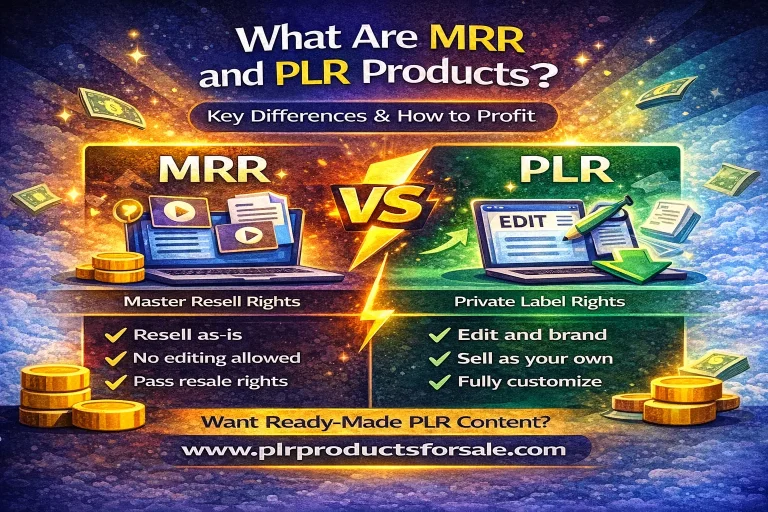
PLR Canva templates give digital business owners a practical way to create attractive, editable content without designing every page from a blank canvas. PLR, or private label rights, usually allows a buyer to customize supplied materials, add branding, and sell or distribute the finished product under permitted license terms. When those materials are built in Canva, editing colors, fonts, layouts, and wording becomes accessible even for people with limited design experience.
The real value is not simply a collection of pretty graphics. A useful template package can shorten production time, clarify an offer, support consistent branding, and help you turn knowledge into products your audience can use. However, results depend on choosing a relevant package, checking its license, improving the content, and presenting it as a purposeful solution rather than a copied file.
What PLR Canva Templates Include
A PLR Canva template bundle may contain workbooks, checklists, planners, worksheets, social media graphics, presentation slides, lead magnets, sales pages, or content calendars. The exact contents vary, so read the product listing and license before purchasing or making business promises.
Canva templates are generally accessed through editable links or shared design files. You can replace the sample business name, adjust the palette, change typography, add photographs, rewrite instructions, and reorganize sections. Some designs may use free Canva elements, while others may include paid elements requiring a Canva subscription or replacement. That distinction matters because your customers need reliable access to the final resource.
PLR rights are not identical across sellers. One license may permit personal use, commercial use, client delivery, or resale of a modified product. Another may prohibit giving away editable files, transferring the original template link, claiming exclusive authorship, or reselling the package without substantial changes. Treat the license as part of the product. Save a copy of the terms, note restrictions, and ask the seller for clarification when wording is ambiguous.

A well-prepared template is a starting asset, not a finished business strategy. Its value increases when you connect it to a specific audience, outcome, and customer journey. A generic planner can become a useful resource for freelance photographers, coaches, teachers, wellness practitioners, or handmade-shop owners when the examples, prompts, and design language reflect their actual needs.
Why These Templates Can Grow a Digital Business
Digital businesses often stall because owners spend too much time creating routine content and too little time serving customers, testing offers, or improving distribution. Templates reduce repetitive production. Instead of designing every Instagram post, workbook page, or presentation slide independently, you can work from a coherent visual system.
Speed is helpful, but consistency may be even more valuable. Repeated colors, spacing, headings, and image styles make your brand easier to recognize. Consistency also reduces decision fatigue. Once you establish a reusable template library, you can produce campaigns, lessons, newsletters, and promotional assets with fewer visual choices.

Templates can support several revenue paths. You might use them as a free lead magnet, an added bonus for a paid course, a client deliverable, a low-cost standalone product, or a foundation for a customized service. They can also help you validate an idea. Before investing weeks in a large course, you could adapt a smaller workbook and observe whether your audience responds to the topic.
Yet templates do not create demand automatically. A polished design cannot compensate for an unclear promise, weak teaching, unsuitable pricing, or poor customer support. Think of the asset as production infrastructure. Growth comes from the relationship among useful content, a defined audience, a credible offer, and consistent promotion.
Choosing the Right Template Package
Start with the problem you want to solve. “I need more content” is too broad. A stronger objective might be helping new coaches plan their first month of client sessions, helping online sellers organize product launches, or helping consultants present a repeatable audit process.
Check audience fit
Review the wording, examples, imagery, and page structure. Does the package address a recognizable audience, or would you need to rewrite nearly everything? Heavy editing is not automatically bad, but it affects the time and cost required. A narrowly relevant package often produces a better result than a larger collection of unrelated files.
Inspect editability
Confirm that the designs are actually editable in Canva and determine whether the package uses free or premium elements. Examine text boxes, alignment, page duplication, image frames, charts, and navigation. A template that looks attractive but contains flattened text or difficult-to-replace graphics can slow your workflow.
Read the license carefully
Look for permissions covering modification, commercial sale, client work, giveaways, membership access, and resale. Check whether attribution is required and whether editable links may be shared. Do not assume that “PLR” means unrestricted resale. The seller’s written terms control your permitted use, subject to applicable law.
Assess content quality
Design should support comprehension. Look for accurate information, logical sequencing, actionable prompts, sufficient writing space, and language that can be adapted responsibly. If the package makes health, financial, legal, or educational claims, plan to review the content carefully and obtain appropriate professional input before publishing.

Calculate the adaptation workload
Estimate the hours needed for editing, proofreading, branding, testing, delivery setup, and customer support. A modest package that can be transformed quickly may be more profitable than an enormous bundle requiring extensive reconstruction. Your goal is not to own the most pages; it is to create the most useful customer outcome.
Turning a Template Into Your Own Offer
Begin by defining a clear transformation. A workbook might help someone move from scattered ideas to a weekly plan. A social media bundle might help a local service provider maintain a consistent publishing routine. State what the buyer will be able to do, understand, organize, or create after using the resource.
Next, rewrite the core content in your voice. Replace generic introductions with a concise explanation of the problem. Adapt examples to your audience’s vocabulary and circumstances. Remove pages that repeat an idea or distract from the promised result. Add instructions wherever a first-time user might hesitate.
Your brand should be more than a logo placed on every page. Choose a restrained palette, readable type hierarchy, and imagery that reflects your positioning. Consider accessibility: adequate contrast, legible text, clear labels, and enough space for writing or digital input. Attractive design should make the resource easier to use, not merely more decorative.
Add original value through frameworks, examples, implementation notes, reflection questions, templates, or troubleshooting guidance. If the original package offers a list, explain how to prioritize it. If it provides a planner, include a simple review routine. If it contains social posts, add guidance about adapting captions to different platforms and audiences.
Proofread every page and test the customer experience. Export the file in the formats your audience needs, confirm that links work, and use the resource yourself from beginning to end. Ask a trusted reviewer to identify confusing instructions, missing context, or formatting problems. These practical checks distinguish a thoughtfully adapted product from a lightly edited resale file.
Ways to Use PLR Canva Templates
Lead magnets
A focused checklist, mini guide, or worksheet can introduce your method and invite readers onto your email list. Keep the promise narrow enough to deliver quickly. The follow-up sequence should logically continue the topic rather than abruptly switching to unrelated promotion.

Paid digital products
Combine adapted pages into a complete, outcome-oriented resource. A cover and attractive formatting are useful, but customers pay for clarity, relevance, and application. Include usage instructions, examples, and a logical progression from preparation to action.
Course and membership bonuses
Templates can make lessons more practical. A course about content planning might include calendars and caption prompts; a membership about business organization might provide monthly review sheets. Explain how the bonus supports the main learning experience so it does not feel like an unrelated download.
Client services
With suitable licensing, adapted templates can become onboarding forms, strategy worksheets, proposal supplements, or branded educational resources. Customize them for each client and protect confidential information. A repeatable template can improve efficiency while still leaving room for professional judgment.
Content marketing
Use selected pages as the foundation for carousel posts, emails, videos, or live workshops. Do not publish the entire paid resource for free. Instead, teach one useful idea, show an example, and direct interested people toward the complete solution.
Building a Simple Sales System
Your sales system should connect the template to a specific buyer and use case. Write a product page that explains the intended audience, contents, format, required tools, license, and practical outcome. Avoid vague claims such as “transform your business instantly.” Describe what the buyer receives and what effort remains.
Show previews that reveal the structure without giving away the entire product. Include several representative pages, close-up details, and a brief walkthrough when appropriate. Clear previews reduce uncertainty and help buyers decide whether the resource suits their needs.
Choose delivery tools that match your technical comfort and customer expectations. Provide organized files, clear download instructions, and a support contact. If customers receive a Canva link, explain how to make a copy before editing so they do not accidentally alter a shared master design.

Promotion works best when it teaches something connected to the offer. Share a planning tip, demonstrate a before-and-after page, answer a common audience question, or explain a mistake the template helps prevent. Use email, social platforms, partnerships, or community participation according to where your audience already pays attention. Consistent, relevant communication is more dependable than a single dramatic launch.
Consider an ethical refund and support policy. State what happens if a link fails, a file is missing, or the buyer cannot access Canva. Responding clearly protects trust and may reveal improvements needed in your onboarding instructions.
Common Mistakes to Avoid
The first mistake is reselling without meaningful adaptation. Even where a license permits resale, unedited material may feel generic and provide little reason for buyers to choose your version. Add perspective, examples, organization, and practical guidance.
The second is ignoring license boundaries. Keep records of purchase receipts, permissions, and source files. Do not assume that images, fonts, worksheets, or embedded quotes carry the same rights as the template itself. Replace questionable elements rather than taking avoidable risks.
The third is prioritizing volume over usability. A bundle with hundreds of pages can overwhelm customers. Curate a focused package and explain how to use it. More content is valuable only when it supports the intended outcome.
The fourth is neglecting mobile and print experiences. Some customers will open a PDF on a phone; others will print pages. Check font size, margins, hyperlinks, and color behavior. Tell buyers if the resource is designed primarily for digital use.
The fifth is making unsupported promises. Templates can organize action, but they cannot guarantee revenue, followers, clients, or personal results. Use precise, honest language and explain the customer’s role in applying the material.
FAQ
Can I sell PLR Canva templates immediately?
Usually, you should first inspect the license and adapt the material. Immediate resale may be prohibited or may produce a weak customer experience. Check permissions for commercial sale, modification, editable links, and redistribution.
Do I need Canva Pro?
Not necessarily. Some files use free elements, while others contain premium assets. Confirm the design requirements and replace paid elements if necessary. Your customers may have different Canva plans, so disclose relevant access limitations.
Can I claim exclusive ownership?
PLR generally does not guarantee exclusivity. Other buyers may have access to the same source material unless the seller explicitly grants exclusive rights. Build distinctiveness through original writing, examples, branding, structure, and customer support rather than an unsupported ownership claim.
Can I use a template for client work?
Possibly, if the license allows client delivery or commercial services. Read whether you may provide an editable file, a flattened export, or only a finished deliverable. Modify the design and clarify responsibilities with your client.
How much should I edit?
There is no universal percentage that makes a product original or compliant. Edit enough to make the resource accurate, relevant, useful, and consistent with your offer, while following the license. Focus on meaningful improvements rather than superficial color changes.
What if the content contains errors?
You remain responsible for what you publish. Review every claim, statistic, instruction, and link. For regulated subjects, seek qualified review. Remove material you cannot verify or responsibly support.
Should I sell editable Canva links?
Only when your license permits it and your delivery process is secure. A downloadable PDF may be safer for some offers, while an editable link provides flexibility. Explain copying, access, and usage instructions clearly.
How can I make the product stand out?
Start with a specific audience and problem. Add an original framework, practical examples, a guided implementation plan, and thoughtful support. Strong positioning usually differentiates a modest, relevant resource more effectively than decorative complexity.
Final Thoughts
PLR Canva templates can become valuable business assets when you treat them as adaptable foundations rather than instant products. Select a package that matches a real audience need, verify every right, rewrite the material thoughtfully, and test the complete customer experience. Then connect the finished resource to a clear offer, useful education, and dependable delivery.
The strongest advantage is not the template alone. It is the time saved while preserving your ability to add judgment, expertise, and brand personality. Use that saved time to understand customers, improve the product, communicate consistently, and build related solutions. With careful licensing and meaningful customization, PLR Canva templates can support a practical, credible digital business without requiring you to design every asset from the ground up.