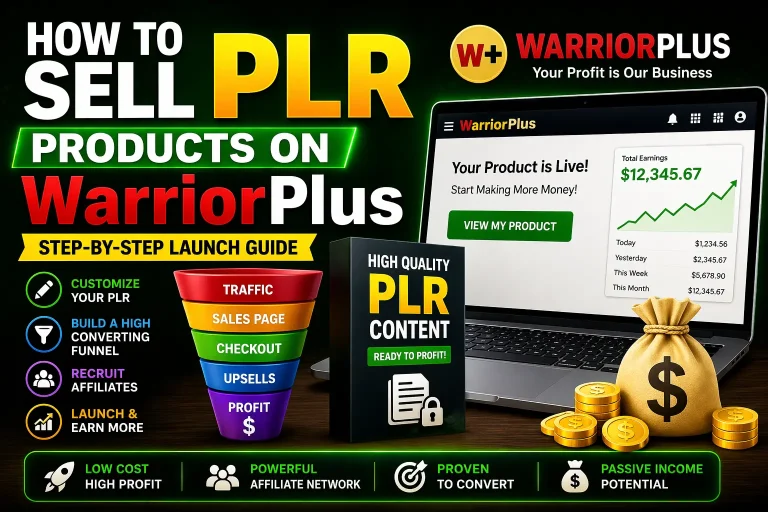
PLR Canva Templates give creators a practical starting point for producing polished digital content without designing every page from a blank canvas. PLR, or private label rights, generally allows a buyer to edit, brand, and resell supplied materials under the terms provided by the seller. Canva is the editing environment, so users can change colors, fonts, images, wording, page order, and layout while preserving a professional visual structure.
This combination is useful for coaches, educators, bloggers, affiliate marketers, virtual assistants, course creators, and small businesses that need consistent content quickly. However, the real value does not come from downloading files alone. It comes from understanding the license, adapting the materials thoughtfully, and packaging the finished result for a clearly defined audience. Used responsibly, PLR Canva Templates can reduce design time, improve brand consistency, and help turn ideas into useful products or marketing assets.
What PLR Canva Templates Include
A PLR Canva Template collection may contain workbooks, planners, checklists, social media posts, presentations, lead magnets, worksheets, ebooks, client guides, or promotional graphics. The exact contents vary, so review the sales page and license before assuming a particular format or usage right is included.
Most Canva templates are delivered through an editable template link, a PDF containing access instructions, or downloadable files accompanied by a link. After opening a template, you can usually create a copy in your Canva account and customize that copy. Some products may require Canva Pro elements, while others rely on free graphics and fonts. This distinction matters because a buyer may need a paid Canva plan to export or replace certain assets.
PLR rights also vary. One license might permit personal use and commercial use, while another could allow resale only after substantial modification. Some licenses prohibit reselling the editable template, transferring PLR rights, or listing the original files on a marketplace. Read the license as carefully as you would read instructions for a software subscription. If a point is unclear, ask the seller before building a business around the product.

Why the Starting Point Matters
Creating a complete workbook or content campaign from scratch requires more than choosing attractive colors. You must plan hierarchy, spacing, page flow, calls to action, accessibility, and file delivery. A ready-made framework handles much of that preliminary work. It lets you spend more time improving the message and less time repeatedly aligning boxes.
Templates are not substitutes for strategy. A beautifully arranged planner can still fail if it addresses the wrong problem, uses vague instructions, or has no logical progression. Think of PLR as production assistance, not a finished promise of relevance.
Benefits for Different Creators
For a new entrepreneur, PLR Canva Templates can provide a manageable way to test an offer. Instead of investing weeks in a first digital product, the creator can adapt a template to a narrow audience, gather feedback, and revise the content. This approach can make experimentation less expensive and reduce the intimidation of designing a first resource.

For an established brand, templates can support repeatable publishing. A social media pack can help maintain visual continuity across campaigns. A client workbook can standardize onboarding while leaving room for personalized advice. A presentation template can make workshops more coherent, particularly when several team members create slides.
Educators may adapt worksheets, lesson summaries, reflection pages, or revision planners. Coaches can turn prompts into guided exercises, progress trackers, or session resources. Bloggers can transform a longer article into a downloadable checklist or email incentive. Virtual assistants may customize branded documents for clients, provided their license permits client work or transfer.
The strongest use case is specific transformation. Rather than offering a generic “business planner,” customize the material for a defined reader, such as a freelance photographer organizing bookings or a local retailer planning seasonal promotions. Specific language makes a template feel intentional and increases its practical usefulness.
How to Customize Templates Properly
Begin with the audience and outcome. Write one sentence describing who will use the resource and what should be easier afterward. This sentence becomes a filter for every page. Remove sections that do not support the intended result, and add explanations where a new user might hesitate.
Next, establish a simple brand system. Choose a small color palette, one heading style, one body style, and a consistent treatment for buttons, labels, or callout boxes. Brand consistency does not require filling every page with a logo. Repetition of visual choices is usually more persuasive than constant decoration.
Review every word. Replace broad statements with instructions, examples, and questions that fit the audience. Check spelling, grammar, dates, references, and calls to action. A template may contain placeholder text that is useful structurally but unsuitable as final copy. Never assume that polished design means the wording is accurate.
Then inspect the layout. Confirm that headings are easy to scan, body text is large enough for comfortable reading, and important information does not sit too close to page edges. Check mobile viewing if the final file will be read on a phone. For printables, consider margins, paper size, ink-heavy backgrounds, and whether writing spaces are actually large enough.
Finally, export and test the product as a customer would. Open the PDF on different devices, click every included link, print sample pages, and review the file name and delivery instructions. A smooth customer experience can be weakened by one missing page or confusing download step.

Editing Canva Elements
Before editing, identify whether an element is text, a shape, a frame, an illustration, or a stock image. Replacing an image inside a frame is different from changing a background image, and grouped objects may need to be ungrouped before adjustment. Work on a duplicate so the original version remains available.
Use alignment tools and spacing controls rather than moving objects by eye. Duplicate pages when a repeated structure is needed, but vary examples or prompts enough to prevent monotony. If you use Canva library assets, confirm that their licensing suits your intended distribution. You are responsible for respecting the rights attached to external images, fonts, quotations, logos, and brand marks.
Licensing and Ethical Resale
PLR does not mean “anything is allowed.” The license controls what you may change, sell, bundle, give away, or transfer. Read definitions carefully. Terms such as “resale rights,” “commercial use,” “master resell rights,” and “private label rights” are not automatically interchangeable.
A responsible workflow keeps the license with the project files. Save the purchase receipt, license document, version information, and any update notices. If you hire a designer, explain the permitted uses and avoid giving them rights beyond what you hold. If you sell a finished workbook, describe it accurately as your adapted resource rather than claiming exclusive authorship of every underlying component.
Avoid distributing editable Canva links when the license prohibits source-file resale. A flattened PDF may be appropriate for a customer product, while an editable template link might expose assets or content that customers are not authorized to reuse. Conversely, if the license expressly permits template resale, follow its required modifications and branding conditions.
Do not remove another company’s trademark, copyright notice, or attribution unless the license clearly permits removal. Do not copy recognizable competitors, promise results that the content cannot support, or use testimonials without permission. Ethical customization protects customers and reduces the risk of disputes.
Turning One Template into a Strong Offer
A template becomes more valuable when it is part of a complete solution. Add a concise introduction explaining the problem, a quick-start page, examples, and instructions for using each section. If the resource includes prompts, demonstrate one completed example so buyers understand the expected level of detail.
Consider offering tiers only when the differences are meaningful. A basic PDF might suit readers who want immediate guidance. A larger bundle could include a workbook, checklist, and content calendar. An editable version may appeal to customers who need to personalize the resource, but it should be priced and licensed according to the additional support and usage implications involved.
Create a clear product promise. “A planning workbook for independent tutors preparing a twelve-week launch” is more informative than “ultimate business planner.” Explain what the buyer receives, who it is for, what software is required, and what it does not include. Clarity builds trust before purchase.
A useful sales page should show selected interior pages, explain the transformation, list file formats, and state the license in plain language. Avoid vague claims such as “guaranteed success.” Persuasion is stronger when it demonstrates practical usefulness rather than relying on exaggerated urgency.
Content Marketing Applications
PLR templates can support a broader content system. A workbook may become a free email incentive, a paid entry product, or a bonus inside a course. Its questions can inspire blog posts, newsletters, short videos, and social captions. A presentation can be adapted into a workshop, while its summary page can become a downloadable checklist.
Repurpose selectively. Each format has different reading expectations. Social content needs one clear idea; a workbook needs guidance and space for action; a presentation needs concise points and speaker context. Simply shrinking one asset into another format can produce material that looks consistent but feels awkward.
Track which topics generate meaningful questions, downloads, replies, or sales. These signals can guide future customization, but they do not prove that one template will work for every audience. Improve the offer through feedback, not assumptions.
Common Mistakes to Avoid
The first mistake is publishing with minimal changes. Buyers can often recognize generic text, inconsistent terminology, or repeated designs. Add your own examples, perspective, instructions, and organization so the product earns its place in the customer’s workflow.
The second is ignoring accessibility. Low contrast, tiny text, decorative fonts, and text embedded in images can exclude readers. Use readable type, descriptive link labels, sufficient contrast, and logical headings. If a PDF must be completed digitally, test whether fields and navigation work as intended.

The third is overdesigning. Extra icons, colors, and banners may distract from an exercise or instruction. Every visual element should clarify hierarchy, support comprehension, or make an action easier. White space is not wasted space; it gives the reader room to process and respond.
The fourth is neglecting updates. Platforms, recommendations, regulations, and business practices can change. Date sensitive claims should be reviewed before publication. If your product includes software instructions, verify that the described interface still resembles the user’s experience.
The fifth is failing to explain delivery. State whether customers receive a PDF, an editable Canva link, or both. Tell them whether a Canva account is required, whether free or paid features are involved, and where they should seek help. Clear onboarding reduces avoidable support requests.
A Practical Launch Checklist
Before publishing, confirm that the license permits your intended use. Duplicate and customize the Canva file, then remove irrelevant pages and placeholder content. Review all copy for accuracy, originality, and audience fit. Check links, page numbers, headings, margins, image quality, and export settings.
Open the final files on a computer and mobile device. Print representative pages if printing is part of the offer. Ask a trusted reviewer to follow the instructions without assistance. Their confusion may reveal missing context that you no longer notice because you created the product.
Prepare a delivery message with the files, access steps, usage guidance, support contact, and license summary. Use a descriptive file name and organize multiple files in a logical folder. Keep an untouched master copy and record future revisions with clear version labels.
After launch, listen for repeated customer questions. They may indicate that instructions, layout, or the sales page needs improvement. Treat support conversations as evidence for refinement rather than as interruptions. A product that becomes easier to use over time is more likely to earn recommendations and repeat business.
Frequently Asked Questions
Can I sell PLR Canva Templates immediately after purchase?
Usually, not without checking the license and adapting the material. Many licenses expect meaningful customization and restrict resale of unchanged files or editable links. Read the exact terms, then modify content, design, organization, or branding as required.
Do I need Canva Pro?
Not always. Some templates use free Canva elements, while others include premium assets or features. Review the product information before buying. If a paid plan is needed, explain that requirement clearly to customers who receive editable files.
Can I use the templates for client projects?
That depends on the license. Some permits allow commercial client work, while others limit use to your own business or products. Do not assume that paying for the template automatically grants permission to transfer or sublicense it.
Can I remove the original creator’s branding?
Only when the license allows it. Some PLR products are designed for rebranding; others require attribution or preserve specific notices. Keep permitted credits and avoid removing rights information casually.
What should I add to make the template original?
Add audience-specific examples, original explanations, exercises, instructions, research you are entitled to use, and a logical structure that reflects your expertise. A new color palette alone may not create meaningful differentiation.
How should I price an adapted resource?
Consider the depth of your customization, usefulness of the outcome, format, support, audience, and comparable alternatives. There is no universally correct price. Test a clear offer, observe customer response, and revise responsibly rather than pricing solely by page count.
Are PLR templates suitable for beginners?
Yes, if beginners treat them as a learning and production framework rather than a guaranteed business shortcut. Start with one focused audience, learn the license, customize carefully, and test the finished resource before creating a large catalog.
How can I prevent customers from sharing my files?
No digital delivery method eliminates unauthorized sharing completely. Use appropriate storefront controls, clear license language, branded materials, and reasonable customer support. Focus on making legitimate purchase more convenient than searching for unauthorized copies.
Conclusion
PLR Canva Templates can shorten the path from concept to useful, attractive content, but their effectiveness depends on the work performed after purchase. Choose a product with a clear audience, read its license, duplicate the source file, and customize both design and substance. Then test the export, explain delivery, and build an offer around a specific customer outcome.
The persuasive advantage is not that templates require no effort. It is that they concentrate your effort where it matters most: relevance, clarity, teaching, branding, accessibility, and customer experience. A thoughtful adaptation can become a valuable workbook, lead magnet, client resource, or marketing system. A rushed copy usually remains generic.
Use PLR as a responsible foundation, not a substitute for judgment. When the content solves a real problem and the permissions are respected, Canva templates can support faster creation without sacrificing professionalism or trust.